
Coordinate system
Calculate geometric transformations of the features in the import and export processes.
Define a Transformation of coordinates
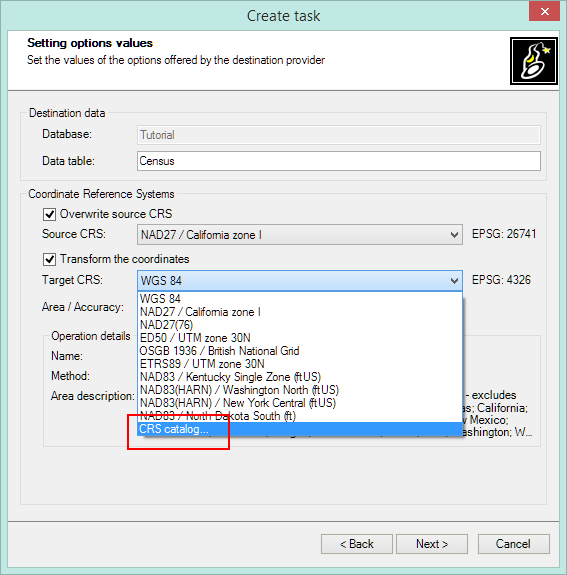
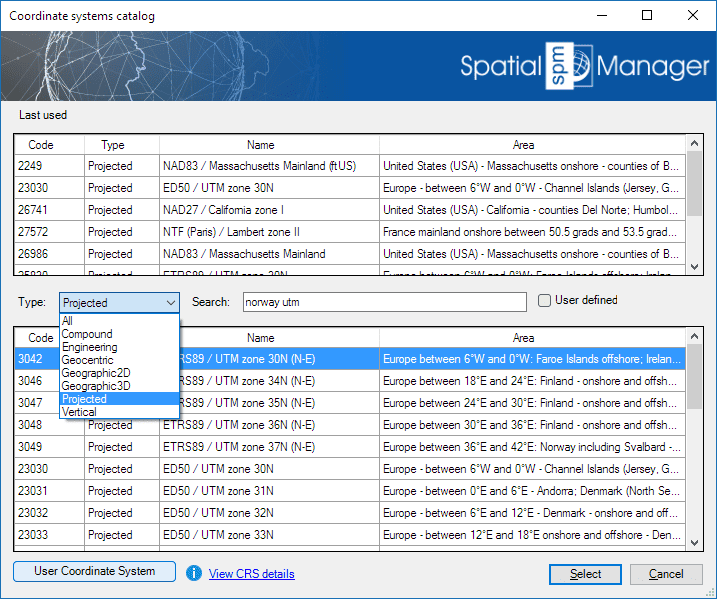
When importing/exporting, choose CRS for source and target using the CRS catalog.
Grid Files
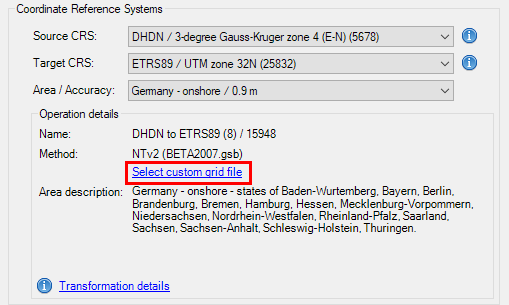
- Some transformations require NTv2 Grid files.
- User can select alternative grid files.
User Coordinate Systems
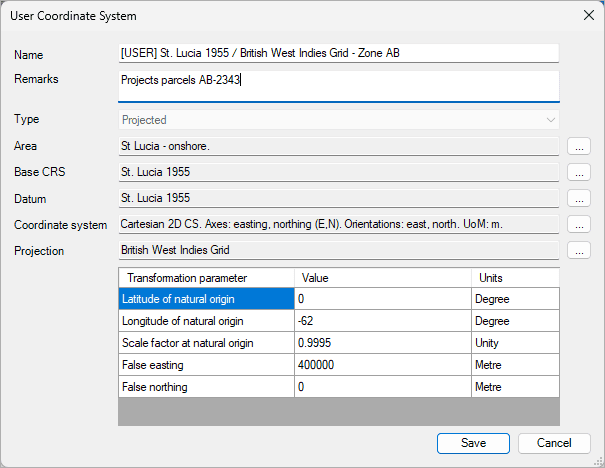
- You can create custom CRS based on existing ones.
Disclaimer:
- Some components shown here (providers, names, window styles, etc.) may differ slightly from those on your computer.
- Certain features require Internet access. If you experience issues, check with your network administrator about a possible Proxy server. You can configure the Proxy settings in the application options.
- Some geographic data providers (Geocode, image maps, etc.) may require a user account, which you can set up in the Service Provider API Keys section of the application options.