
Information
Get some information about a selection
You can find data about a selection in the “Properties” panel of Spatial Manager Desktop™. If you do not see this information in the “Properties” panel when some Features are selected, set the focus of the application in the Workspace by clicking on the tab of the Workspace.
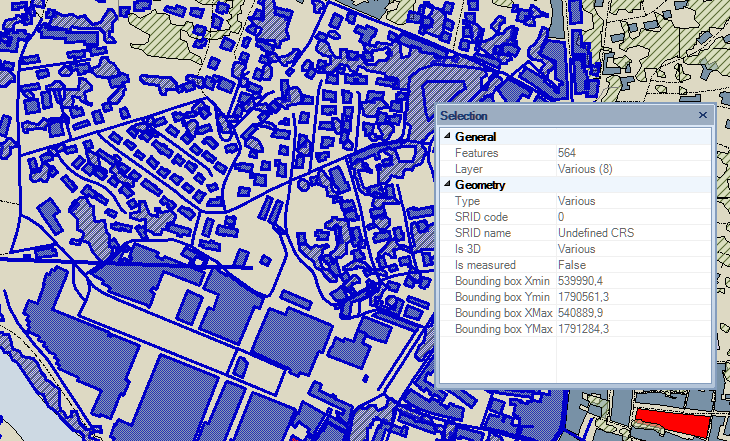
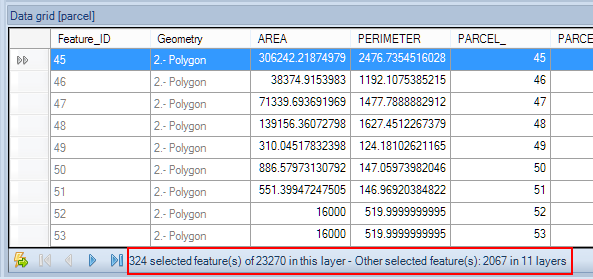
In addition, at the bottom of the Data grid, you will see this information:
- How many Features are selected in the selected Layer out of the total number of Features included in the selected Layer.
- How many Features are selected in other Layers and the number of Layers including any Features selected.
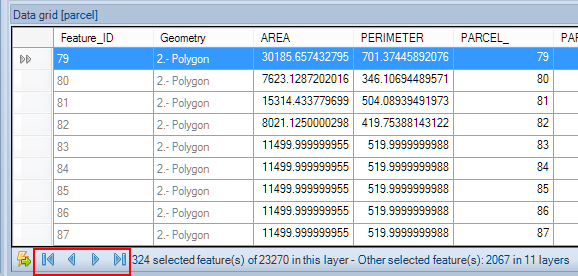
Navigate through the selected Features in the Data grid
To navigate through the selected Features in the Data grid in Spatial Manager Desktop™, you can use the bottom arrows in the Data grid to go to the next, previous, first, or last Feature in the grid.
Disclaimer:
- Some components shown here (providers, names, window styles, etc.) may differ slightly from those on your computer.
- Certain features require Internet access. If you experience issues, check with your network administrator about a possible Proxy server. You can configure the Proxy settings in the application options.
- Some geographic data providers (Geocode, image maps, etc.) may require a user account, which you can set up in the Service Provider API Keys section of the application options.