
Trial
Trial version of Spatial Manager Desktop™
The trial version of Spatial Manager Desktop™ is a limited version which allows you to try out the application for up to 15 days. When this period ends, or if you want to use the unlimited version, you need to purchase a commercial license of Spatial Manager Desktop™.
Every time you start the trial version of Spatial Manager Desktop™, you will see a window showing the days left in the trial period and the buttons to purchase a commercial license of Spatial Manager Desktop™ or to activate a license.
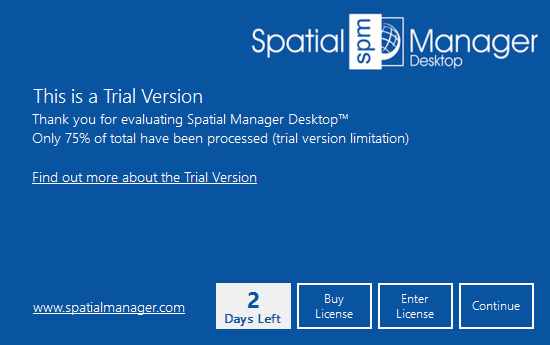
When the trial period has ended, you will see a similar window, but you can no longer “Continue” using the “Trial version”, and you need to activate a commercial license in order to keep working.
During the testing period, you will find the following limitations:
- A maximum number of Features will be exported. The quantity will be 75% of the total number of Features to be processed.
- A maximum number of Features will be saved.
- A “DEMO” watermark will be added:
- When showing any ‘Background Map’.
- When printing a map.
- Direct and Reverse Geo-coding functions will only return a maximum of 5 results each time they are executed.
- When running some functions or processes, a warning window may appear about a specific limitation of the “Trial version”.
Note: If you think you need an unlimited version for testing, please feel free to contact us (support@spatialmanager.com).
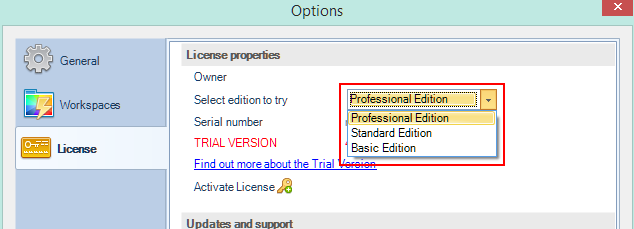
While using the trial version, and whenever you want, you can select the application Edition you would like to try through the application Options.
Disclaimer:
- Some components shown here (providers, names, window styles, etc.) may differ slightly from those on your computer.
- Certain features require Internet access. If you experience issues, check with your network administrator about a possible Proxy server. You can configure the Proxy settings in the application options.
- Some geographic data providers (Geocode, image maps, etc.) may require a user account, which you can set up in the Service Provider API Keys section of the application options.