
Label
Label data values from tables attached to the objects as Texts in AutoCAD.
Label the objects data in the drawing
Although some application commands allow automatic labeling of object data as part of the process (e.g. when Importing objects), the ‘SPMLABEL’ command labels data values from tables attached to the objects as texts.

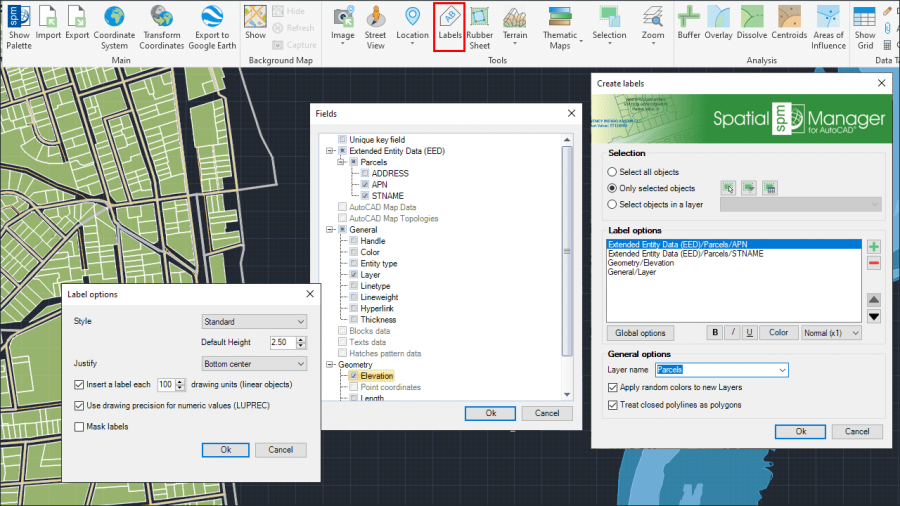
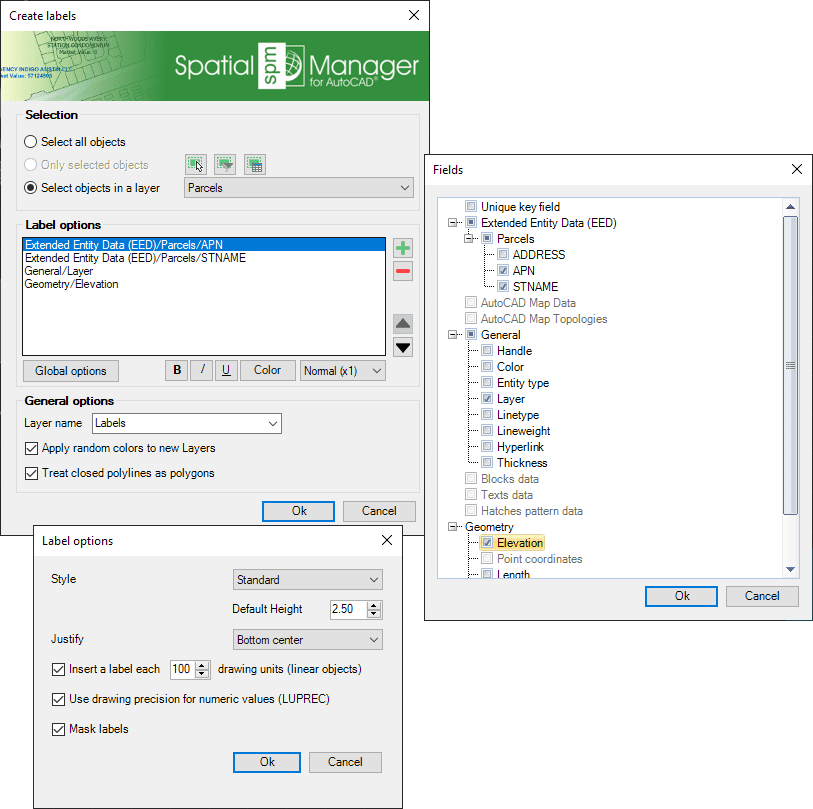
- Parameters and options
- Selection (review selection control options).
- Table and Field: Lets you select the data to label.
- Warning: Please note that if none of the objects selected for labeling are attached to the chosen Table/Field, no label will be created and the application will display a warning.
- Layer name: This setting defines the target layer name for the labels. You can select an existing layer in the drawing or you can write the name to create a new layer.
- Apply random colors to new layers.
- Treat closed polylines as polygons: When checked (default value), all closed polylines in the drawing will be labeled as polygons (label in the centroid). If not, these polylines will be labeled as linear objects.
- Label options. You can define the style, height, justification, rotation, and rotation units of the label text objects here. Some of these parameters can be taken from fields in the data tables. For linear objects, you can also specify the separation in drawing units between labels to be repeated along the object, or if you want a single label for each object. As added parameters, you can set the option to use or not LUPREC for decimal places ‘‘(see Notes below)’’ and ‘‘Mask labels’’, which will generate masks (Wipeout objects, grouped with the labels), and they will “trim” the objects located behind the labels in order to improve their reading.
- Notes:
- When labeling, the rotation of the texts will consider the positive angles direction defined according to the value of the System Variable ANGDIR (please, take a look at ANGDIR and UNITS in the AutoCAD Help).
- You can choose that the value of the LUPREC variable (length precision) be used or not for the number of decimal places when labeling objects using a numerical field (please, take a look at LUPREC and UNITS in the AutoCAD Help).
- Label masks may have some functional issues or may not be available in versions earlier than AutoCAD 2017.
Disclaimer:
- Some components shown here (providers, names, window styles, etc.) may differ slightly from those on your computer.
- Certain features require Internet access. If you experience issues, check with your network administrator about a possible Proxy server. You can configure the Proxy settings in the application options.
- Some geographic data providers (Geocode, image maps, etc.) may require a user account, which you can set up in the Service Provider API Keys section of the application options.