
Triangulation
The Triangulation from Points tool generates a mesh of interconnected triangles by connecting a given set of points. This process creates a network of triangles that can be used for surface modeling, terrain analysis, and interpolation of spatial data. The resulting triangular mesh provides a foundation for advanced GIS and CAD operations, ensuring accurate representation of complex spatial structures..
The SPMTRIANGULATION command creates a triangulated irregular network (TIN) from the vertices of selected entities or from point entities.
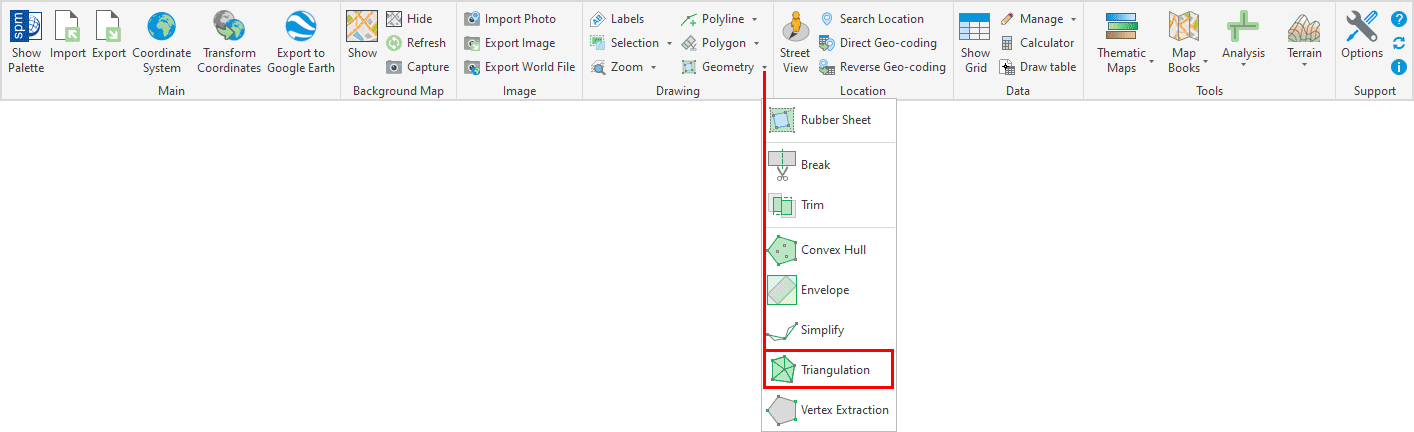
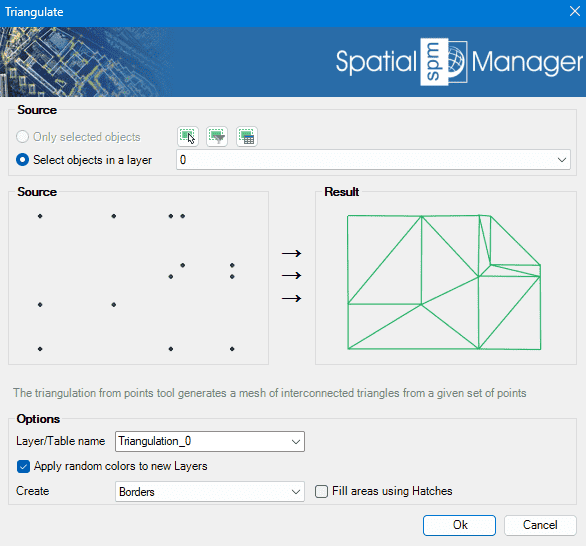
Triangulation Options
- Source: select the entities to create triangulation from their vertices (review selection control options).
- Options
- Layer/Table name: specify the layer where the created polygons will be placed and the table name for attached data.
- Apply random colors to new layers: if checked, the created layers will be assigned random colors.
- Fill with hatches: the resulting closed polylines can be filled with hatches.
Triangulation video
Disclaimer:
- Some components shown here (providers, names, window styles, etc.) may differ slightly from those on your computer.
- Certain features require Internet access. If you experience issues, check with your network administrator about a possible Proxy server. You can configure the Proxy settings in the application options.
- Some geographic data providers (Geocode, image maps, etc.) may require a user account, which you can set up in the Service Provider API Keys section of the application options.