
Areas of Influence
Creates polygons defined by the sets of points closest to each point of a selection in the drawing (Voronoi diagrams).
Areas of Influence
The command SPMINFLUENCEAREAS in Spatial Manager™ for ZWCAD allows you to generate polygons defined by the set of points closest to each point of a selection of points in the drawing (Voronoi diagram). Each polygon generated will adopt the same data (if any) as the corresponding point.
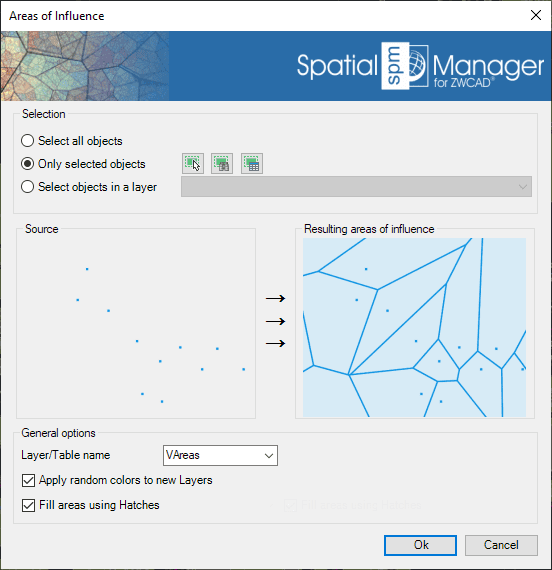
- Entities selection: Review the selection control.
- Table/Layer name: Defines the target Layer and data table name for the new polygons.
- Apply random colors to new Layers.
- Fill areas using Hatches.
Disclaimer:
- Some components shown here (providers, names, window styles, etc.) may differ slightly from those on your computer.
- Certain features require Internet access. If you experience issues, check with your network administrator about a possible Proxy server. You can configure the Proxy settings in the application options.
- Some geographic data providers (Geocode, image maps, etc.) may require a user account, which you can set up in the Service Provider API Keys section of the application options.