
Visual C++
Due to the configuration of some computers, compatibility problems or security restrictions, in some cases the ‘Spatial Manager’ installer cannot correctly register one or more prerequisites. It is therefore necessary to manually install some components. Details about the potential error that may appear:
TYPE: System.DllNotFoundException.
MESSAGE: Unable to load DLL ‘SQLite.Interop.dll’: The application has failed to start because its side-by-side configuration is incorrect. Please see the application event log or use the command-line sxstrace.exe tool for more detail. (Exception from HRESULT: 0x800736B1)..
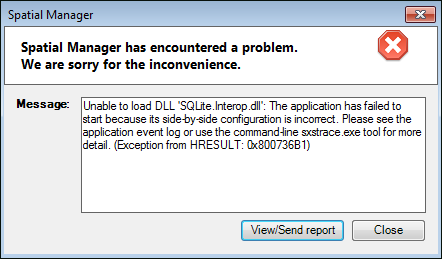
Please manually install the VC++ packages that you can download here:
- 64-bit installations:
- 32-bit installations:
Disclaimer:
- Some components shown here (providers, names, window styles, etc.) may differ slightly from those on your computer.
- Certain features require Internet access. If you experience issues, check with your network administrator about a possible Proxy server. You can configure the Proxy settings in the application options.
- Some geographic data providers (Geocode, image maps, etc.) may require a user account, which you can set up in the Service Provider API Keys section of the application options.