
Terms of use
Some Background Map providers require specific usage terms or API keys. Spatial Manager™ for BricsCAD lets you configure these credentials easily, enabling access to restricted maps.
Special condition to use the ‘Background Maps’
Certain image maps providers included in Spatial Manager™ for BricsCAD may require special terms of use for the users of their maps. You can configure any special setting needed to load the maps of such providers through the Service Provider API Keys in the application Options (‘SPMOPTIONS’). You can also configure and save these settings the first time you try to use (‘SPMBGMAPSHOW’) a ‘Background Map’ that needs a special configuration.
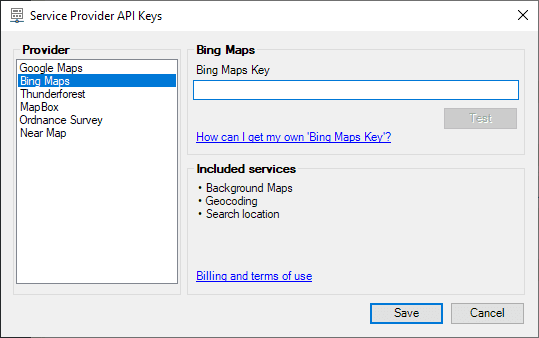
You can change these settings as often as desired. You can even insert blank values to reset the values of these settings.
Sometimes, the image maps provider lets you access some free maps, but you need to get a key or code to use the others. In this case, you will see “blocked” the maps which need you to modify the configuration according to the instructions above.
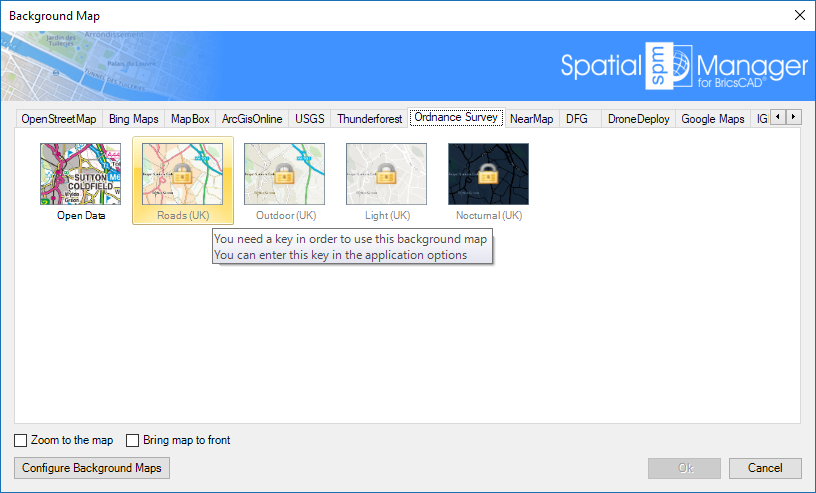
Important note: Please, read also the specific license conditions in the paragraph relating to the ‘Background Maps’ of the application End User License Agreement (EULA).
Disclaimer:
- Some components shown here (providers, names, window styles, etc.) may differ slightly from those on your computer.
- Certain features require Internet access. If you experience issues, check with your network administrator about a possible Proxy server. You can configure the Proxy settings in the application options.
- Some geographic data providers (Geocode, image maps, etc.) may require a user account, which you can set up in the Service Provider API Keys section of the application options.