
Providers
Data Providers
Spatial Manager™ for BricsCAD accesses spatial data for importing and/or exporting using their own data Providers. The application can access different data formats and storage systems depending on the spatial data Providers installed.
Available data Providers
The available standard data Providers for Spatial Manager™ for BricsCAD at this time are the following:
Spatial files
- Esri Shape file (.SHP)
- Google Earth file (.KML .KMZ)
- OpenStreetMap file (.OSM .OSC .PBF) (1)
- LiDAR file (.LAS .LAZ)
- GPS exchange format file (.GPX)
- Esri ASCII Grid file (.ASC .ASCII)
- ASCII text file (.ASC .CSV .NEZ .TXT .XYZ .UPT)
- SQLite file (.DB .SQLITE)
- GeoPackage file (.GPKG)
- GML file (.GML .GZ .XML)
- GeoJSON file (.GEOJSON .JSON)
- GeoJSON file (2) (5)
- Autodesk SDF file (.SDF) (3)
- MicroStation v.7 file (.DGN) (2)
- BricsCAD DXF file (.DXF) (2)
- Esri ArcInfo export file (ASCII) (.E00) (1) (2)
- MapInfo file (.TAB) (2)
- MapInfo interchange format file (.MIF) (2)
Spatial raster files
- Raster image file (.TIF .PNG .JPG .JPEG .TIFF) (6)
- Variable resolution Raster image file (Cloud Optimized GeoTIFF/COG TIFF) (1) (4) (6)
- Georeference sources (GeoTIFF, World files, Google Earth .GEPRINT, GPS EXIF, etc.)
Spatial data servers and Geo-databases
- Esri Geodatabase File (.GDB) (1)
- PostGIS database
- Microsoft SQL Server Spatial database
- MySQL database (1) (3)
Image map servers
- WMS/OGC API Maps Web Map Services (4)
- WMTS/OGC API Tiles Web Map Tile Services (4)
- XYZ/TMS Tile Map Services (4)
Other spatial data sources
- Open Database Connectivity ODBC (1)
- WFS/OGC API Features data store (1)
- WFS data store (OGR) (1) (2) (5)
- WFS data store (FDO) (1) (3) (5)
(1) Read-only
(2) OGR data source
(3) FDO provider
(4) Background Maps technology
(5) DEPRECATED - Whenever possible use the native data provider. In addition, OGR for WFS data stores will not be found in the data Provider list under some circumstances (certain BricsCAD Map versions and others).
(6) Professional Edition only
Note: certain data Providers are only valid for some Editions of the application.
Parameters of the data Providers
The parameters of the data Providers in Spatial Manager™ for BricsCAD are the settings that the application needs to connect when reading (importing) or writing (exporting) spatial tables or files by using a given data Provider. Certain data Providers need the reading parameters and the writing parameters, and these settings can be different. Some other data Providers will only need the reading or the writing parameters but not both of them. You will see a parameters window every time the application needs them when running a given import or export process.
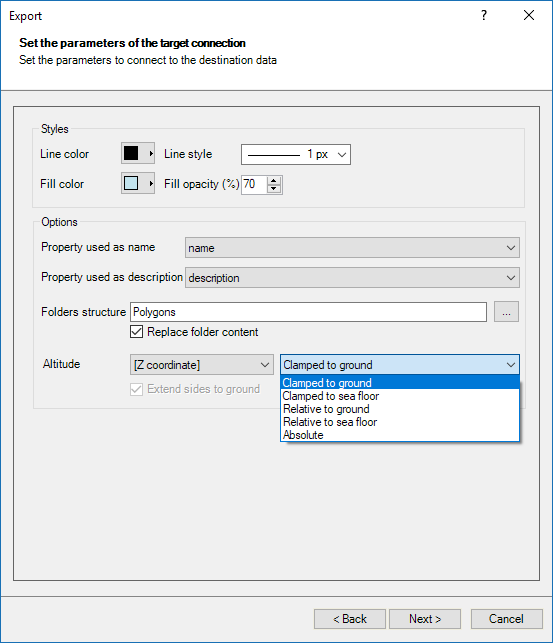
Sample 1: KML/KMZ Google Earth file writing parameters window
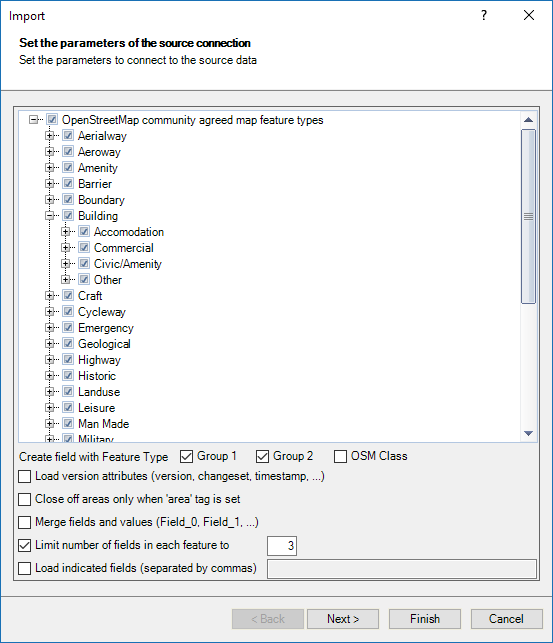
Sample 2: OSM/PBF OpenStreetMap file reading parameters window
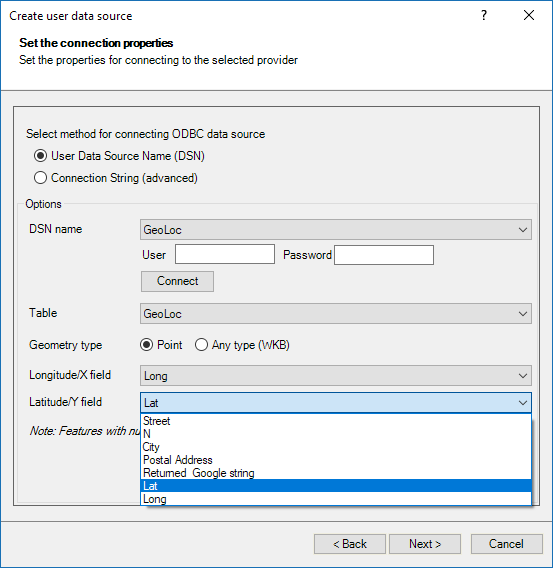
Sample 3: Open Database Connectivity ODBC (creating a User Data Source) parameters window
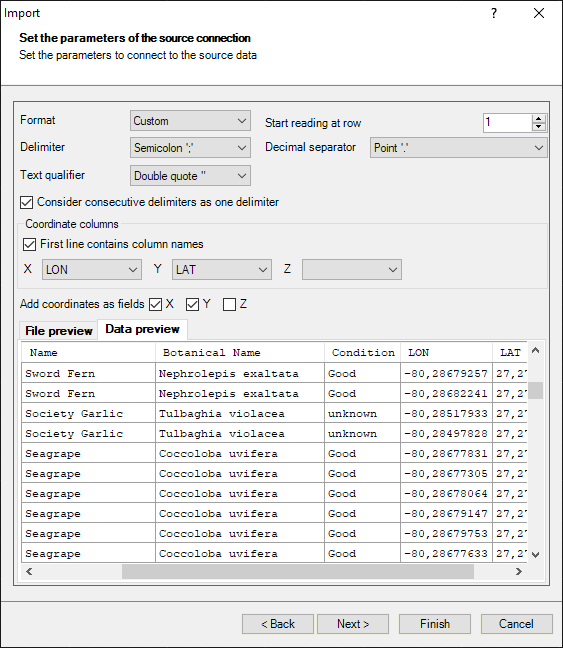
Sample 4: ASCII file (custom settings) reading (import process) parameters window
Sample 5: Raster image file reading Provider parameters window
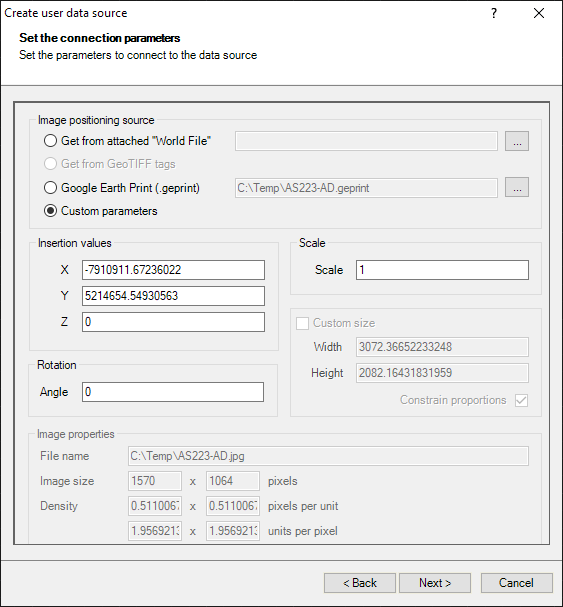
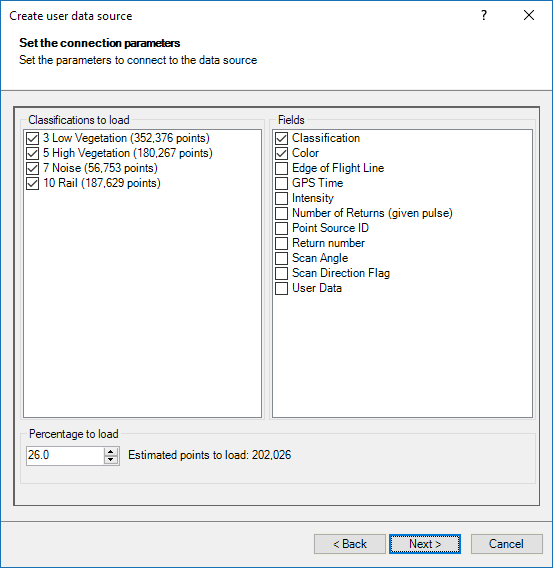
Sample 6: LiDAR file reading parameters window
Disclaimer:
- Some components shown here (providers, names, window styles, etc.) may differ slightly from those on your computer.
- Certain features require Internet access. If you experience issues, check with your network administrator about a possible Proxy server. You can configure the Proxy settings in the application options.
- Some geographic data providers (Geocode, image maps, etc.) may require a user account, which you can set up in the Service Provider API Keys section of the application options.