
Simplify
Reduces the number of vertices (nodes) to simplify polylines or polygons, optimizing geometry complexity while maintaining overall shape integrity. This function is useful for improving performance and visualization of spatial data by decreasing detail where appropriate. When working with adjacent polygons, caution is advised as simplification may create unintended intersections or holes. The tolerance parameter controls the maximum allowed deviation between the simplified geometry and the original..
The SPMSIMPLIFY command reduces the complexity of polyline geometries by removing unnecessary vertices while preserving the overall shape.
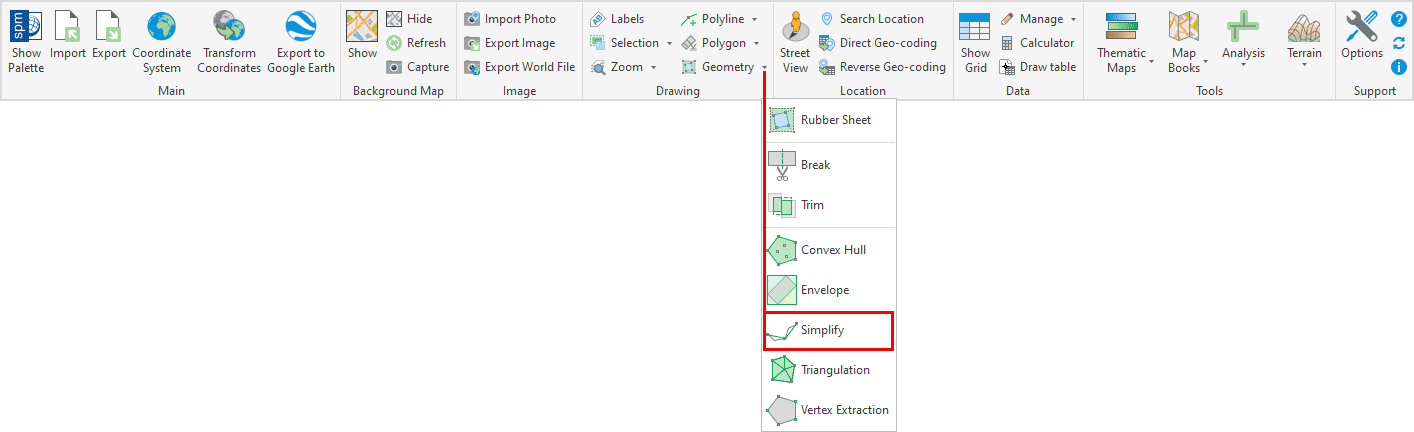
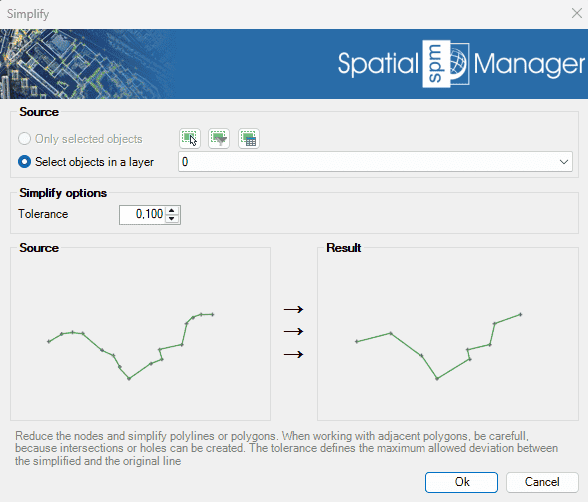
Simplify Options
- Source: select the entities to create the envelope around (review selection control options).
- Tolerance: defines the maximum permitted deviation between the simplified geometry and the original.
Simplify video
Disclaimer:
- Some components shown here (providers, names, window styles, etc.) may differ slightly from those on your computer.
- Certain features require Internet access. If you experience issues, check with your network administrator about a possible Proxy server. You can configure the Proxy settings in the application options.
- Some geographic data providers (Geocode, image maps, etc.) may require a user account, which you can set up in the Service Provider API Keys section of the application options.