
Segmentation
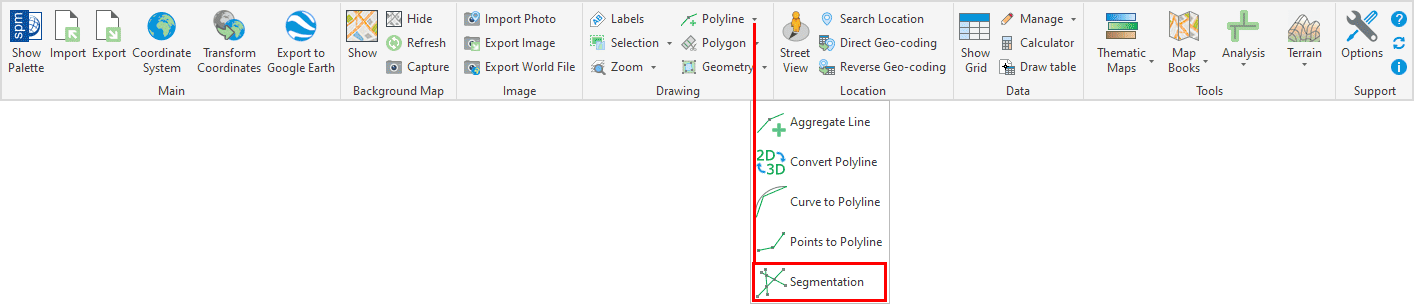
Identifies intersections and automatically splits complex linear geometries into simpler line segments. This process is useful for preparing data for topological analysis, editing, or export to systems that require simpler geometry structures..
The SPMSEGMENTATION command splits polylines or polygons at all intersection points with other polylines in the selection, creating a network of non-overlapping segments.
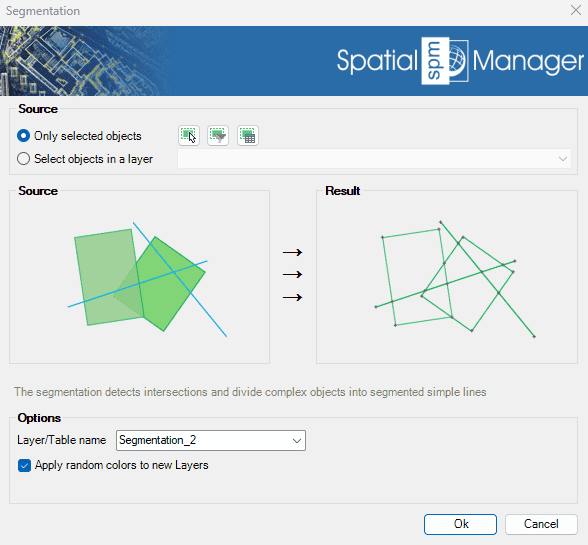
Segmentation Options
- Source: select the entities to segmentize (review selection control options).
- Options
- Layer/Table name: specify the layer where the created polylines will be placed and the table name for attached data.
- Apply random colors to new layers: if checked, the created layers will be assigned random colors.
Segmentation video
Disclaimer:
- Some components shown here (providers, names, window styles, etc.) may differ slightly from those on your computer.
- Certain features require Internet access. If you experience issues, check with your network administrator about a possible Proxy server. You can configure the Proxy settings in the application options.
- Some geographic data providers (Geocode, image maps, etc.) may require a user account, which you can set up in the Service Provider API Keys section of the application options.